Reactor Logistics Network (RL)
Advertisement
Why use the RL network?
Managing reactors manually is tedious and dangerous — refueling a fission or MS reactor exposes you to radiation. The RL network automates everything: refueling, waste extraction, temperature monitoring, and control rod management.
Network Components
| Component | Role |
|---|---|
| RL Controller | The brain of the network. Only one per network. Consumes 5 kW @ 120 V. Enables communication between all modules. |
| RL Logistics Cable | Connects all components. Shielded fiber optic — no energy loss over distance. |
| Fission Interface | Replaces the control rod under the fission reactor. Allows the network to interact with the core. |
| Fusion Interface | Placed under the fusion reactor. Same role as the fission interface. |
| MS Interface | Replaces the MS control rod on the MS reactor. |
| Control Rod Module | Remote control for the control rod. Supports redstone (signal 15 = 100% insertion). One per reactor. |
| Monitor Module | Displays reactor info remotely. Multiple monitors can be linked to the same reactor. |
| Thermometer Module | Monitors temperature and emits a redstone signal. Modes: Constant or Progressive. Invertible. |
| Supply Module | Refuels the reactor (top 9 slots) and extracts waste (bottom 9 slots). Also handles tritium production. |
Link GUI
Each module must be linked to a reactor interface. To access the linking menu:
- It is either the only option in the module interface
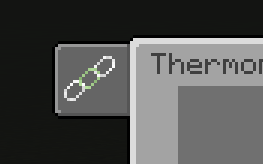
- Or accessible via the linking tab within the interface
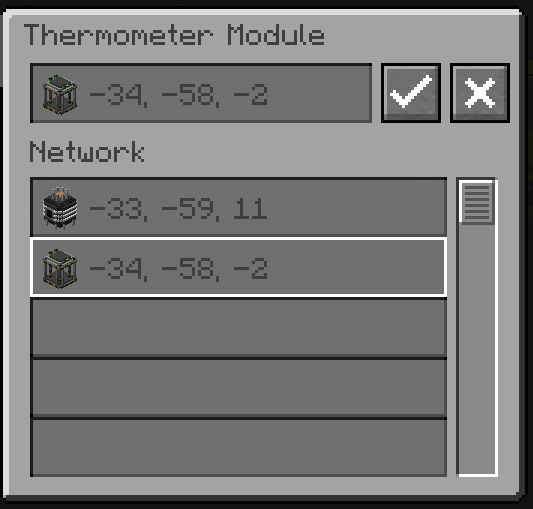
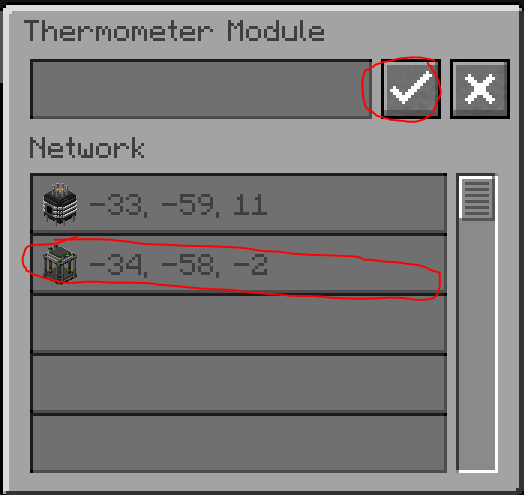
Select the interface from the list, then press Activate to link. Press Deactivate to unlink.
Connection Loss
If the RL controller loses power, modules retain their links but can no longer communicate with each other. Communication resumes as soon as the controller is repowered.
Thermometer Module — Signal Modes
| Mode | Behavior |
|---|---|
| Constant | Signal 15 when temp ≥ target, signal 0 otherwise (invertible) |
| Progressive | Signal 0→15 proportional to temp/target (invertible) |